
Field-Ready Event Photo Sales System
Production-tested, LAN-first system for selling event photography on location, designed for environments without reliable internet.

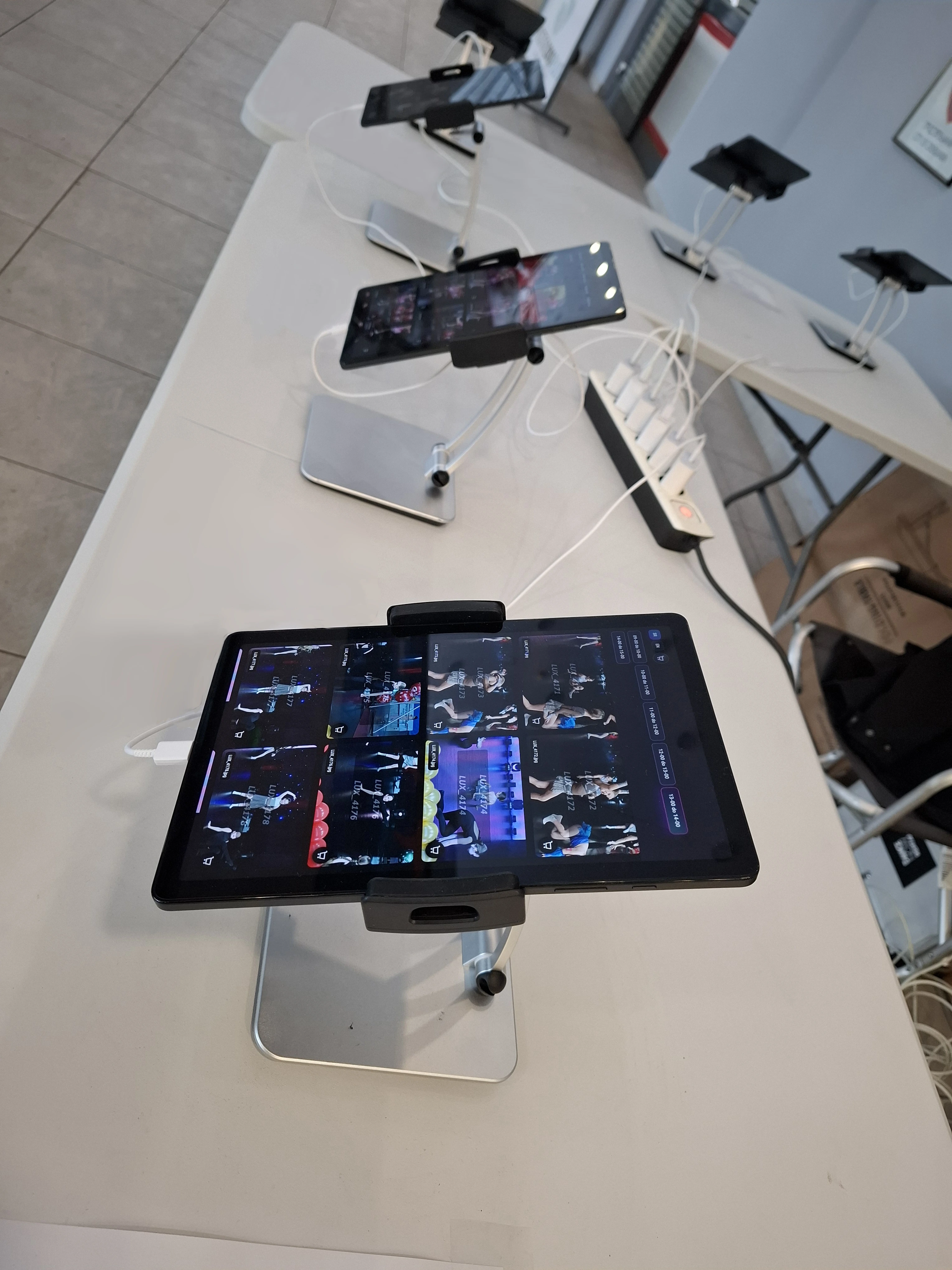
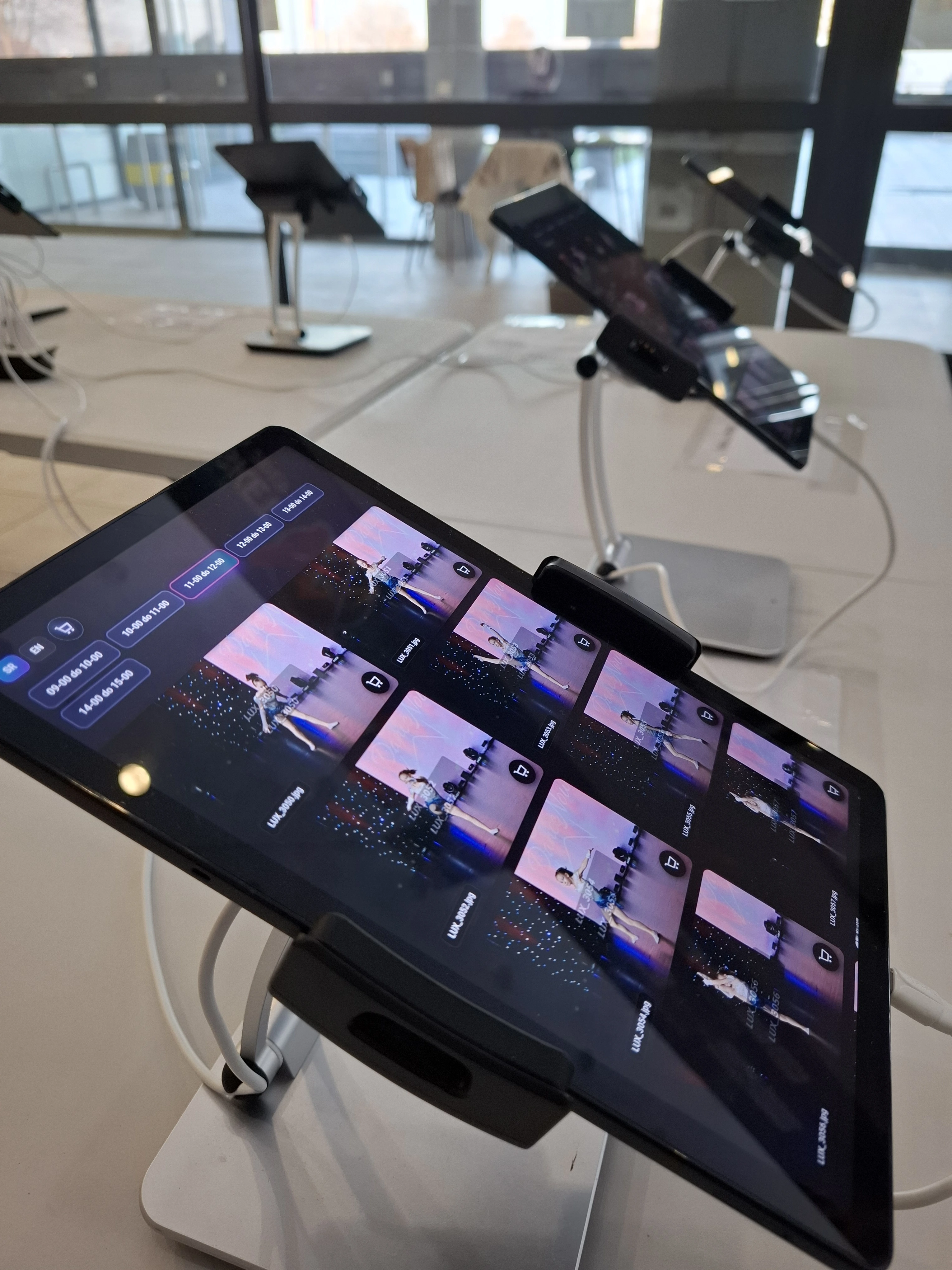
📸 Field-Ready Event Photo Sales System
Field-Ready Event Photo Sales System is a production-tested, LAN-first system for selling and delivering photography at live events, built for real-world, on-location work where internet connectivity cannot be relied on.
The system is designed so that all critical operations work entirely on a local network (LAN): gallery browsing on tablets, cart creation, order management, admin operations, and print workflow.
Internet access is required only for final delivery such as upload and sending email links.
Production proof:
✅ 5 production deployments
✅ ~8k–9.5k photos processed per event
✅ Sustained 14-hour on-site operation
✅ Concurrent tablet and workstation usage
✅ Zero system downtime
🌍 Designed for Real-World Locations
This system was built for environments where traditional online solutions struggle.
Typical locations include:
- large indoor venues where radio signal is inconsistent
- locations without guaranteed mobile or Wi-Fi connectivity
- rural locations, etno villages, weddings, and private events off the grid
- temporary event setups without public Wi-Fi
In these conditions, internet access is optional. Operations are not.
The system brings its own infrastructure:
- local server running on a laptop
- local Wi-Fi router operating as LAN-only
- tablets for customer browsing and ordering
- admin and print workstations
All data is stored locally in the database and processed in real time.
There are no paper notes, no manual lists, and no post-event reconstruction.
If internet is unavailable during the event, everything continues to work locally. Digital delivery is completed later when connectivity becomes available.
⚙️ Core Architecture: LAN-First by Design
Challenge:
Large volumes of images and fast on-site sales cannot depend on unstable internet connections, especially at international or remote venues.
Solution:
- central backend and database running locally
- tablets connect via LAN for fast gallery browsing
- admin panel operates fully within the local network
- internet is required only for upload and email delivery
Result:
A predictable and stable workflow on location, regardless of signal quality.
⚡ Real-Time Synchronization Across Devices
All devices stay synchronized automatically:
- new photos appear on tablets the moment they are processed
- orders and payment confirmations update instantly across admin panels
- no manual refresh is required, even with dozens of concurrent users
This synchronization is powered by Server-Sent Events (SSE), enabling efficient one-way data streaming without polling overhead.
🎭 Multi-Scene and Timeline-Based Gallery Organization
Large events often run multiple scenes in parallel, each producing hundreds or thousands of images.
Example:
A gymnastics competition with Floor Exercise and Vault running simultaneously. Each scene has its own gallery, further divided by time slots such as Morning session (09:00–12:00) and Afternoon session (14:00–17:00).
Customers browse only the photos relevant to:
- their discipline
- their scene
- their performance time window
Instead of scrolling through thousands of unrelated images, they immediately see what matters to them.
Result: Faster browsing, fewer mistakes, and significantly reduced operator assistance during peak hours.
🧾 Order Workflow and Automated File Handling
Each order follows a controlled and deterministic flow:
- Customer selects photos on a tablet
- The system generates a unique order number
- After payment confirmation:
- original files are copied into a dedicated order folder
- files are optionally copied to a print workstation over LAN
🖨️ Print Management and Visual Verification
Print workflow includes a dedicated preview interface where operators can visually verify each print job before sending it to the printer.
The interface shows:
- image thumbnails
- file names and paths
- copy counts for duplicate prints
This visual confirmation step significantly reduces reprints caused by selection or quantity errors, which is critical during high-volume and high-pressure operations.
Printing is managed through strict folder states:
- NEW for orders ready to be printed
- PRINTED for completed jobs
Folders are moved automatically when an order is marked as printed, preventing duplicate or missed prints.
🧑💻 Operator-Focused Cash Desk Interface
Real-world sales require flexibility. The payment interface allows operators to:
- correct mistyped email addresses
- change currency if needed
- select payment method such as cash, card, or bank transfer
- apply discounts
- adjust quantities or remove items within allowed order states
- use a built-in change calculator for cash payments
These controls reduce errors and keep the sales flow smooth during peak rush periods.
📩 Dual Delivery: QR Code and Email
After purchase, customers receive access in two ways:
- QR code for instant mobile access
- email link for a familiar and trusted workflow
Both methods lead to the same destination.
If internet is unavailable at the moment of purchase, sales still complete locally. Delivery is finalized automatically once connectivity is restored.
🧵 Resilient Upload Queue with Priority Control
Digital delivery is handled through a resilient upload queue:
- paid orders enter the queue automatically
- interrupted uploads resume when internet connectivity returns
- operators can manually prioritize urgent orders
The admin panel shows:
- the currently uploading order
- upcoming orders waiting in the queue
This provides transparency and operational control during live events.
🧩 Event Setup, Pricing, and Access Control
Beyond gallery and sales, the system includes a full admin module:
- event creation and configuration
- flexible product catalog supporting digital, print, and bundle products
- per-event pricing with multi-currency support
- discount and refund workflows
- detailed reports during and after the event
🛂 Role-Based Access Control (RBAC)
A three-tier permission model ensures operational safety:
- Seller: tablet operation, order processing, and payments
- Admin: event configuration, pricing, and reporting
- Master Admin: system-wide control and multi-event oversight
Each role is exposed only to relevant functionality, reducing complexity and preventing accidental system changes during high-pressure operations.
The admin interface is delivered as a Progressive Web App (PWA), providing a focused, desktop-like experience without installation overhead and allowing interface assets to remain available even during temporary connectivity interruptions.
🧭 Built for Reuse, Not Just One Client
While initially developed to address a specific client’s operational needs, the system architecture was designed from the start to support multiple deployments without modification.
Core decisions such as LAN-first networking, abstracted storage and email layers, and modular event configuration allow the system to adapt to different event types, workflows, and client requirements.
Scalability and reuse were treated as first-class design goals rather than outcomes of later refactoring.
🔐 Licensing and IP Protection
The system includes a per-machine licensing mechanism designed to prevent unauthorized distribution while remaining flexible for legitimate multi-device deployments.
Licensing is enforced at runtime without interfering with on-site operations, ensuring controlled commercial usage, protection of intellectual property, and predictable deployments across events and locations.
🔧 Pluggable Delivery and Communication Services
Storage and email delivery are implemented through abstracted service layers.
Each deployment can use solutions that best match client needs without changing core business logic or on-site workflows.
The system is not tied to a specific storage provider or email service.
🚀 Future Direction
The platform is designed with expansion in mind.
A planned next step is an optional online e-store module, enabling post-event browsing and purchasing through a public-facing storefront while reusing the same data model, order logic, and delivery mechanisms.
📈 Results
✅ Production-tested, commercial-grade system
✅ Stable performance in long-running, high-volume scenarios
✅ LAN-first reliability in zero-signal environments
✅ Error-resistant print and delivery workflows
✅ Designed as a reusable product, not a one-off tool